
Cobber96 in Your Pocket
Open Cobber96 on your phone, take the 100% welcome bonus with 100 free spins, and get a few rounds of Gates of Olympus or an Evolution live table into a short break.

Cobber96 on Your Phone
What the mobile version gives you, and what to check before you play on the go
We built Cobber96 for people who play in short bursts. You open it, spin a few rounds of Gates of Olympus or Book of Dead, check your balance and close it again. The mobile version runs the same casino, live, slots and poker sections as the desktop site, so you don't get a cut-down lobby just because you're on a smaller screen.
Most of the games come from Evolution, Pragmatic Play, NetEnt and Push Gaming. Those studios build for touch screens first, so Starburst or an Evolution live table loads in portrait without you pinching and zooming. Live dealer streams need a decent connection, though. On patchy mobile data, stick to slots.
Banking is short and simple. You get 11 payment methods, including Visa, Mastercard and TRON, with 5 cryptocurrencies on the list. The welcome offer is a 100% match up to A$2,500 plus 100 free spins, with 35x wagering, and it works the same on your phone as it does on a laptop.
If something goes wrong mid-session, the operator's live chat opens from inside the site, and email is there for anything that needs a paper trail. This page covers how to get set up on your device and what to expect once you're in.
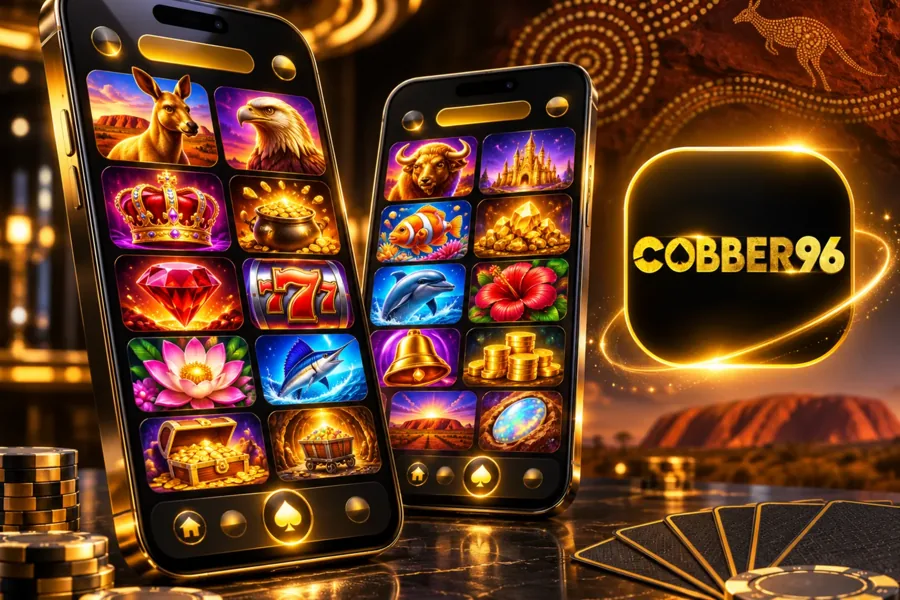
Mobile Site vs App: Which One Suits You
Both run the same Cobber96 account, so the choice comes down to how you play.
You get the same lobby either way. Gates of Olympus, Book of Dead and the Evolution live tables load in the mobile browser just as they do in the app, and your balance, bonus progress and history follow your login, not your device.
The difference is mostly about speed and convenience. The app sits on your home screen and opens straight into your account, which helps if you only have ten minutes to spare. The browser version needs nothing installed and leaves your phone storage alone, so it's handy on an older handset or a shared device.
Deposits work the same in both: Visa, Mastercard and TRON are among the 11 payment methods, and all of them are instant. If something goes wrong, live chat is available from either version.
| Feature | Mobile site | App |
|---|---|---|
| Installation | None, open in any browser | Download and install once |
| Storage used | Browser cache only | Takes space on your phone |
| Login | Enter details or rely on saved browser login | Stays signed in between sessions |
| Game library | Full lobby incl. Pragmatic Play, NetEnt, Push Gaming | Same full lobby |
| Live casino | Evolution tables in the browser | Evolution tables in the app |
| Payments | Visa, Mastercard, TRON | Visa, Mastercard, TRON |
| Welcome offer | 100% bonus + 100 free spins | 100% bonus + 100 free spins |
| Support | Live chat and email | Live chat and email |
| Updates | Automatic, always current version | Install updates when prompted |
| Best for | Occasional play, older phones | Frequent short sessions |
Download Cobber96 on Android
Get the installer from the official site and set it up in a few minutes.
On Android, the Cobber96 app comes as an installer file from the official site. Download it only from there, because copies on mirror pages or file-sharing forums can be tampered with.
You get the same account, balance and game library as in the browser. Gates of Olympus, Book of Dead and Starburst load in portrait or landscape, and the Evolution live tables keep their full layout on a phone screen. Deposits by Visa, Mastercard or TRON go through the same cashier, so you don't have to set anything up twice.
Android will warn you about installing from outside the store. That's normal for any installer file. Allow it for your browser once, install, then switch the setting off again if you prefer.
Open the official site
Go to Cobber96 in Chrome or another mobile browser and tap the Android download button.
Allow the install
When prompted, let your browser install unknown apps in Settings, then go back to the download.
Install and open
Tap the downloaded file, confirm the install and open Cobber96 from your home screen.
Log in or register
Sign in with your existing details or create an account, then head to the cashier to make your first deposit.
Installing Cobber96 on iOS
Add the casino to your home screen through Safari in under a minute.
You won't find Cobber96 in the App Store. On iPhone and iPad, you install the web app straight from Safari. It saves an icon to your home screen and opens full screen, with no browser bar taking up space.
Nothing big downloads, so it barely uses any storage. Updates come through automatically the next time you open it. Gates of Olympus, Book of Dead and the Evolution live tables load the same way they do on desktop, and you can still deposit by Visa, Mastercard or TRON from the cashier.
Use Safari for this. Other iOS browsers sometimes hide the home screen option or put it in a different place.
Open Safari
Go to the Cobber96 website in Safari on your iPhone or iPad.
Tap Share
Tap the square icon with the upward arrow. On iPhone it sits at the bottom of the screen, on iPad at the top.
Add to Home Screen
Scroll down the share menu, tap Add to Home Screen, keep the name or change it, then tap Add.
Log in from the icon
Open the new icon, sign in or register, and turn on Face ID in Safari if you want faster logins.
Full App Features at Cobber96
What you can actually do from your phone, from the lobby to the cashier.
Full slots lobby
Every slot from the desktop site is in the app. You can open Gates of Olympus or Book of Dead in a couple of taps, and your recently played games sit at the top.
Live tables and poker
The Evolution live dealer tables stream in portrait or landscape. Poker sits in its own tab, so you don't have to scroll past slots to find a seat.
Mobile cashier
You can deposit in AUD with Visa or Mastercard, or with TRON if you prefer crypto. That's 11 payment methods in total. The minimum deposit is A$20 (A$30 for crypto), and withdrawals take 10-60 minutes for crypto, within 24 hours for e-wallets and 1-3 business days for cards.
Welcome offer on mobile
The 100% match with 100 free spins is the same in the app as on desktop. You can claim it from the promotions tab once your account is open.
Support in your pocket
Live chat opens over whatever game you're playing, so you can ask about a payout without losing your place. For longer questions you can email [email protected].
Quick game loading
NetEnt and Push Gaming titles like Starburst are built for phones and load fast, even on patchy mobile data. You won't need a big download to get started.
First Deposit Bonus on the Cobber96 App
A 100% match and 100 free spins on your first deposit, claimed from your phone.
Your first deposit at Cobber96 comes with a 100% match bonus up to A$2,500 and 100 free spins. You can claim it from the app in a couple of minutes. You don't need a desktop or a laptop.
Register, open the cashier and pick a payment method. You can use Visa, Mastercard, TRON, Neosurf, MiFinity, Jeton, Bank Transfer, Bitcoin, Ethereum, Litecoin or USDT, 11 methods in total. Card deposits feel familiar to most people. Crypto comes in 5 coins (TRON, Bitcoin, Ethereum, Litecoin and USDT), so pick one of those if you'd rather fund your account with crypto.
Before you top up, know the bonus terms. The minimum deposit is A$20, wagering is 35x, the bonus is valid for 30 days and the free spins for 7 days. It's better to know them now than to find out halfway through a session.
The free spins usually work best on slots you already know. Gates of Olympus and Book of Dead are both in the lobby, so you can see how the bonus plays out on a game you've tried before.
If something doesn't add up after you deposit, contact the operator through live chat or email and ask before you start spinning.

Installing the app doesn't add a separate bonus on top of this one. You get the same first deposit offer in the browser, which is 100% up to A$2,500 + 100 free spins with 35x wagering and 30 days validity.
Cobber96 App FAQ
Short answers to the questions players ask most, based on what we can confirm.
Is Cobber96 a legit online casino?
Cobber96 has been running since 2023 and holds a licence from the Curaçao Gaming Control Board. You can find the full licence details in the legal section further down this page.
How can I check if an online casino is safe?
Look for a real regulator, named game providers and clear terms. Our games come from Evolution, Pragmatic Play, NetEnt and Push Gaming, so the titles are the same ones you'd find on other licensed sites.
Is it legal to play pokies online?
That depends on where you live. Gambling laws differ between countries, so check your local rules before you sign up.
Which game pays out best?
Return to player (RTP) is set per game, so the best payer depends on the title you pick. Open the info panel inside Gates of Olympus, Book of Dead or Starburst to see the current figure before you spin.
What is the welcome offer?
New players get a 100% deposit match up to A$2,500 plus 100 free spins. The minimum deposit is A$20, wagering is 35x, and the bonus is valid for 30 days (free spins for 7 days).
What is a wagering requirement?
It's how many times you have to play through bonus funds before you can withdraw them. At Cobber96 the welcome bonus carries 35x wagering and is valid for 30 days.
How many payment methods can I use?
There are 11: Visa, Mastercard, TRON, Neosurf, MiFinity, Jeton, Bank Transfer, Bitcoin, Ethereum, Litecoin and USDT. Five of them are cryptocurrencies: TRON, Bitcoin, Ethereum, Litecoin and USDT.
How long do withdrawals take?
Processing times depend on the method you pick. Crypto withdrawals take 10-60 minutes, e-wallets within 24 hours and cards 1-3 business days.
Will I need to verify my account?
Probably at some point. ID checks can come up at registration, before some deposits or when you ask for a withdrawal. If you upload clear documents early, you won't be held up later.
Can I play live dealer games on my phone?
Yes. The Evolution live tables sit next to slots and poker in the same lobby, so you can switch between them without logging out.
How do I contact support?
The operator runs live chat and email support. If you have questions about this website, write to [email protected].